
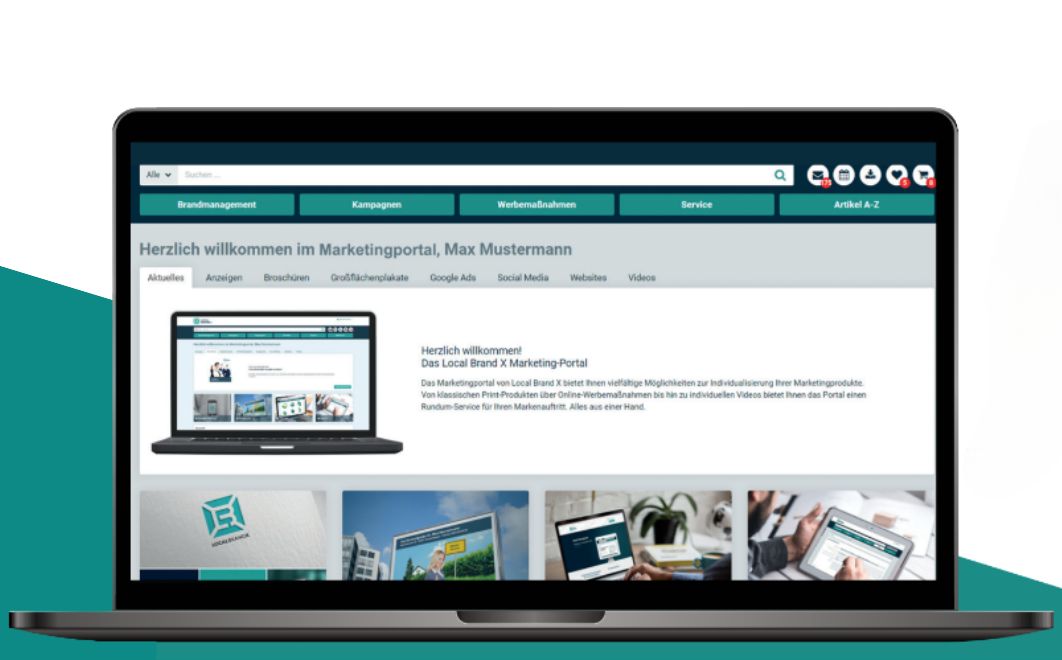
Digital Asset Management can streamline many business workflows and boost productivity. Learn more here about organizing and managing digital media with a DAM system.
Managing digital media with Digital Asset Management (DAM)
An image here, a video there, and a folder somewhere with last year's presentations. The chaos often found on individual desktops is frequently mirrored in the disorganized company drives used for media storage. Yet, with the ongoing shift toward digitalization and an increasing focus on online content, access to digital files—also known as assets—is becoming ever more critical. Even so, these are still often stored locally on individual computers, meaning they have to be searched for or even purchased multiple times. Digital Asset Management, or DAM for short, offers companies a way to manage their assets and digital content and make them centrally accessible.
What is Digital Asset Management?
DAM software can be thought of as any form of database where digital assets—such as media files like graphics, images, videos, music, text, or presentations—are stored and organized. This applies to everything from a simple image database for a photographer to a marketing portal for decentralized companies. These databases are designed to simplify the storage and management of assets and to consolidate all digital content in one central location. In general, this type of storage falls under the umbrella of content management and is sometimes referred to as Media Asset Management (MAM). These DAM software solutions can be used purely internally within a company or in collaboration with external suppliers, sales partners, and press contacts.
Finding, organizing, and managing files
Digital Asset Management (DAM) can simplify many workflows and increase productivity in marketing and across the company. The most important aspect of Digital Asset Management (DAM) is creating a platform where all assets and content are easy to find. This is achieved by importing all images, videos, content, and other media files into the system. From this collection, the exact assets and content needed for a planned task can be downloaded and exported for use elsewhere, such as in the creation of marketing materials. To make it possible to find the right asset in no time at all, additional metadata can be attached to the files to assist with searching and organization. For example, you can search and filter based on the properties of an image. Another advantage of this central storage with metadata is that it simultaneously ensures an organized archive of all digital assets, so nothing is lost and nothing needs to be purchased more than once.
Brand Management
Beyond its use as a database, a DAM system can also serve as a brand portal solution to ensure consistent implementation of corporate identity in marketing and to provide all stakeholders within the company with the necessary information. Furthermore, consistency can be guaranteed through the automatic generation of watermarks and other identifiers. By storing assets in a central location, they can generally be accessed easily from anywhere at any time (e.g., by different teams), which is a major advantage in the flexible working world of the 21st century. To further simplify workflows, a DAM system usually also offers the option of connecting to other systems (via interfaces). For example, web shop solutions, web-to-print systems, or marketing management systems can use integrations to access individual digital assets directly, even though they remain physically stored within the DAM software.
What are the benefits and features of Digital Asset Management (DAM)?
- Organized storage of files (digital assets) and content
- Easy searching and finding of assets and content using metadata
- Simple file sharing within a company or between sales partners and teams
- High brand consistency (corporate identity) across various projects
- Collaborative use of files (digital assets)
- Increased security (less lost content)
- Time savings and increased productivity
- Reduction of local storage requirements
- Cloud-based systems are accessible from anywhere
- Management of distribution and copyright
In which areas is DAM software used?
To take advantage of these benefits and features and to see if digital asset management software is right for your company, it is worth taking a closer look at the potential areas of application. In principle, DAM solutions can be used in any area where digital content is involved. This is particularly useful in the digital and online sectors, as well as in marketing. Industries that have been using such database systems for some time include the music and film industries, as well as photography. However, it is not just in the media sector that managing content correctly is important; small start-ups and large corporations alike use DAM to simplify their processes and provide employees and teams with a centralized hub for digital assets. It is primarily marketing, sales, and PR departments that use digital asset management to find the content they need for their work. They typically use images and content for laying out promotional materials or creating presentations. In press work, as well as in collaboration with agencies and sales partners, DAM software is particularly useful for file sharing. All in all, this means that digital asset management is relevant for any company that works with images or digital content.
How do I choose the right software?
- Get an overview: Talk to potential users to see if a system can support them in their daily work.
- Identify features: Prioritize and select the most important features and benefits. Identify savings: What is the ROI of the system?
- Determine the payment model: One-time purchase or Software as a Service?
- Examine file management: How should organization be handled using metadata (tags)?
- Calculate user count and storage space: How many users and how much storage space are required in the DAM solution?
How can I acquire a DAM system?
Purchasing software
Such a license-based management system is installed on individual computers or within the internal company network after purchase. To access content from one another, the brand's employees and sales partners must therefore be on the same network. The initial purchase of a digital asset management system should be viewed as a one-time, significant investment. Additional annual maintenance fees (approx. 20% of the purchase price) often have to be paidto ensure that the latest software version is made available. Only then can it be guaranteed that bug fixes and security vulnerabilities are addressed by the provider.
Software-as-a-Service (SaaS)
SaaS systems involve cloud hosting, where the system is not made available on individual computers, but rather online via a web app. This offers the advantage that employees can access images, videos, presentations, and other content from any location. All they need is an active internet connection. However, using a cloud system involves monthly subscription fees. With this software subscription, however, users are provided with new features and updates.